

Redact PDF Files Permanently, Not Just Cover Them Up
Adolix PDF Redactor is a Windows desktop application that lets you redact PDF files permanently, removing sensitive information from the file itself instead of just covering it. Select the text or areas you want to redact, apply, and the content is gone — not hidden, not covered, but structurally removed. Your documents never leave your computer.
What to expect
- Permanently remove selected text or areas from the PDF's content stream — not just covered with a black box
- Select sensitive text directly, just like in a PDF viewer — no need to draw boxes by hand
- Or draw a box over any region, including scanned pages and images, to redact pixels directly
- Press Ctrl+A to select and redact all text on a page in one step
- Select and redact multiple areas across multiple pages in a single session
- Strip PDF metadata (author, creation date, producer software) in the same step
- Search the document to quickly locate the text you need to redact
- Files are processed 100% offline — nothing is ever uploaded to a server
- Get help anytime — visit our support page for answers.
- Multi-language support — available in 11 languages










 .
.
Download Free Version
You can download the free version of Adolix PDF Redactor by clicking on the link below. The free version lets you redact PDFs with up to 3 pages.
Upgrade to Pro — No Page Limit, Commercial Use
The Free version is limited to PDFs with up to 3 pages and is intended for personal use only. Upgrade to Pro to redact PDF files of any size and use the software in business and commercial environments — with a one-time purchase, no subscription.
Single user license: $24.95
A True PDF Redaction Tool — Not Just a Black Box
Most PDF redaction tools cover sensitive content with a black rectangle — but the original text remains in the file and can be uncovered by anyone who knows how. Adolix PDF Redactor removes the content from the PDF content stream itself. The text no longer exists in the file after redaction. See how to redact a PDF the right way for a step-by-step walkthrough.
This is the same approach used by professional legal and compliance tools, now available at an accessible price with a simple, focused interface.
Your PDF Files Stay on Your Computer
Unlike cloud-based redaction tools, Adolix PDF Redactor processes everything locally on your computer. Your files are never uploaded to a server — no privacy risk, no third-party access, no file size restrictions imposed by a web service. This makes it the right choice for sensitive documents: legal contracts, medical records, HR files, or financial documents.
Compare Adolix PDF Redactor to other tools: Why Choose a Dedicated Redaction Tool.
Trusted Across Regulated Industries
Adolix PDF Redactor is used across industries where protecting sensitive information isn't optional:
- Legal — Protect attorney-client privilege by redacting sensitive details from case files, contracts, and correspondence before sharing.
- Human Resources — Remove Social Security Numbers, salaries, and other PII from personnel files, offer letters, and payroll records.
- Healthcare — Redact patient names, dates of birth, and medical record numbers to help protect PHI, with files processed entirely offline.
- Financial Services — Remove account numbers, routing numbers, and other sensitive data from statements and reports before sharing.
- Real Estate — Redact SSNs and bank details from closing documents, mortgage files, and purchase agreements.
- Government & Public Records — Prepare documents for FOIA and public records requests by permanently removing exempt information.
- Insurance — Protect policyholder privacy by redacting personal and claim details before sharing files.
- Education — Support FERPA compliance by removing student identifiers from transcripts and records.
PDF Redaction Software for Windows by Adolix - Screenshots
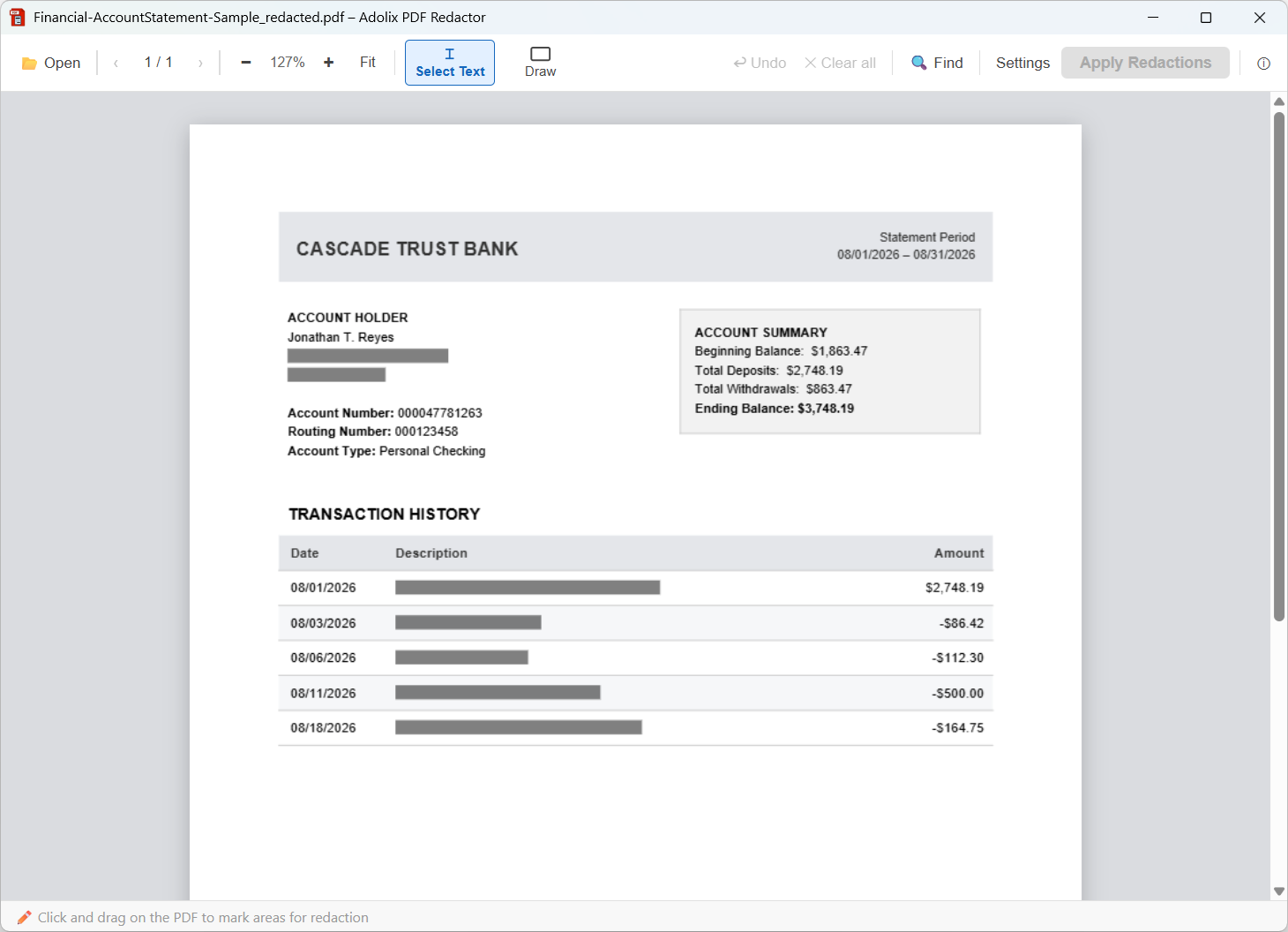
Bank statement — hover to see it redacted
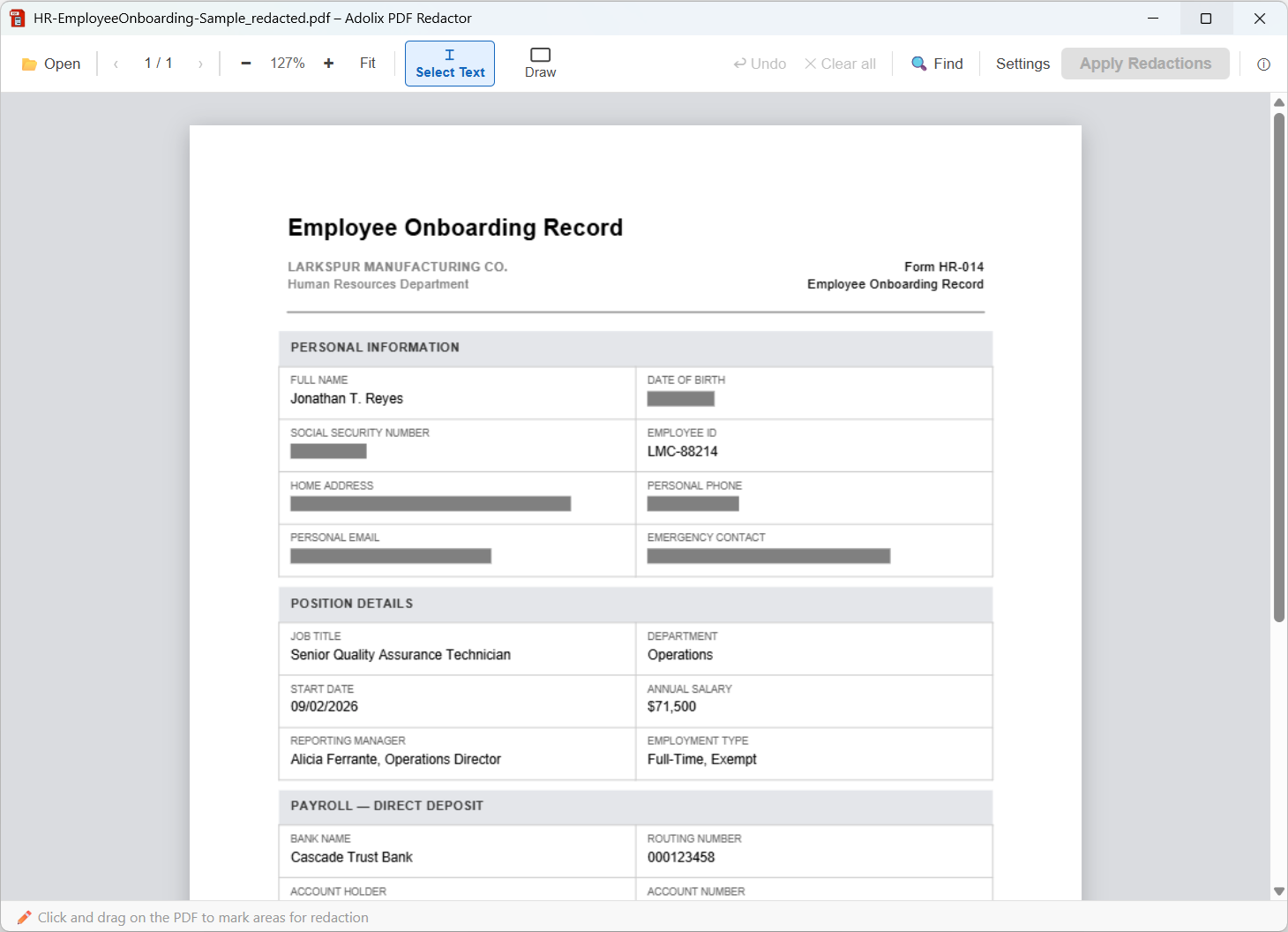
Employee record — hover to see it redacted
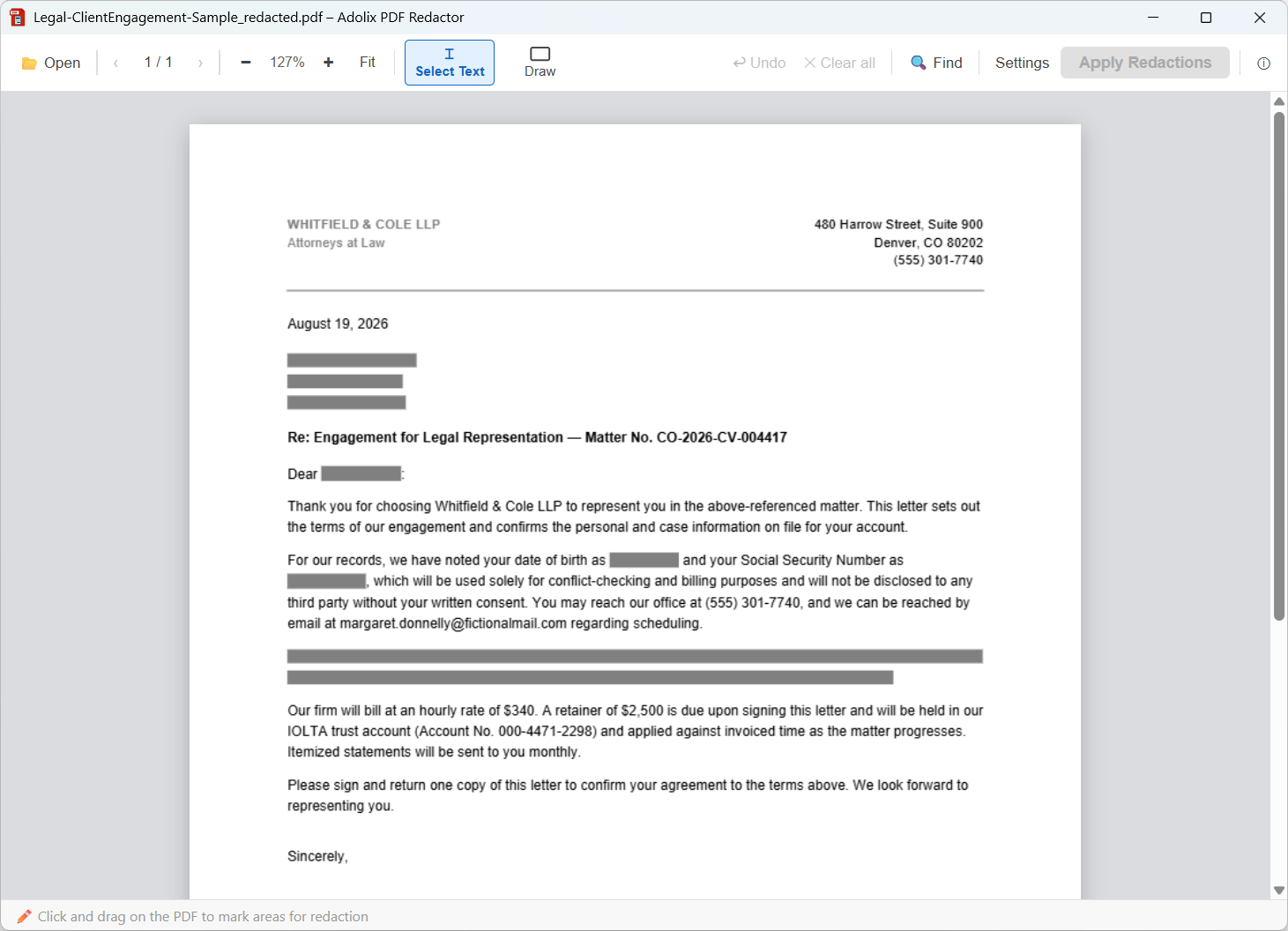
Client letter — hover to see it redacted
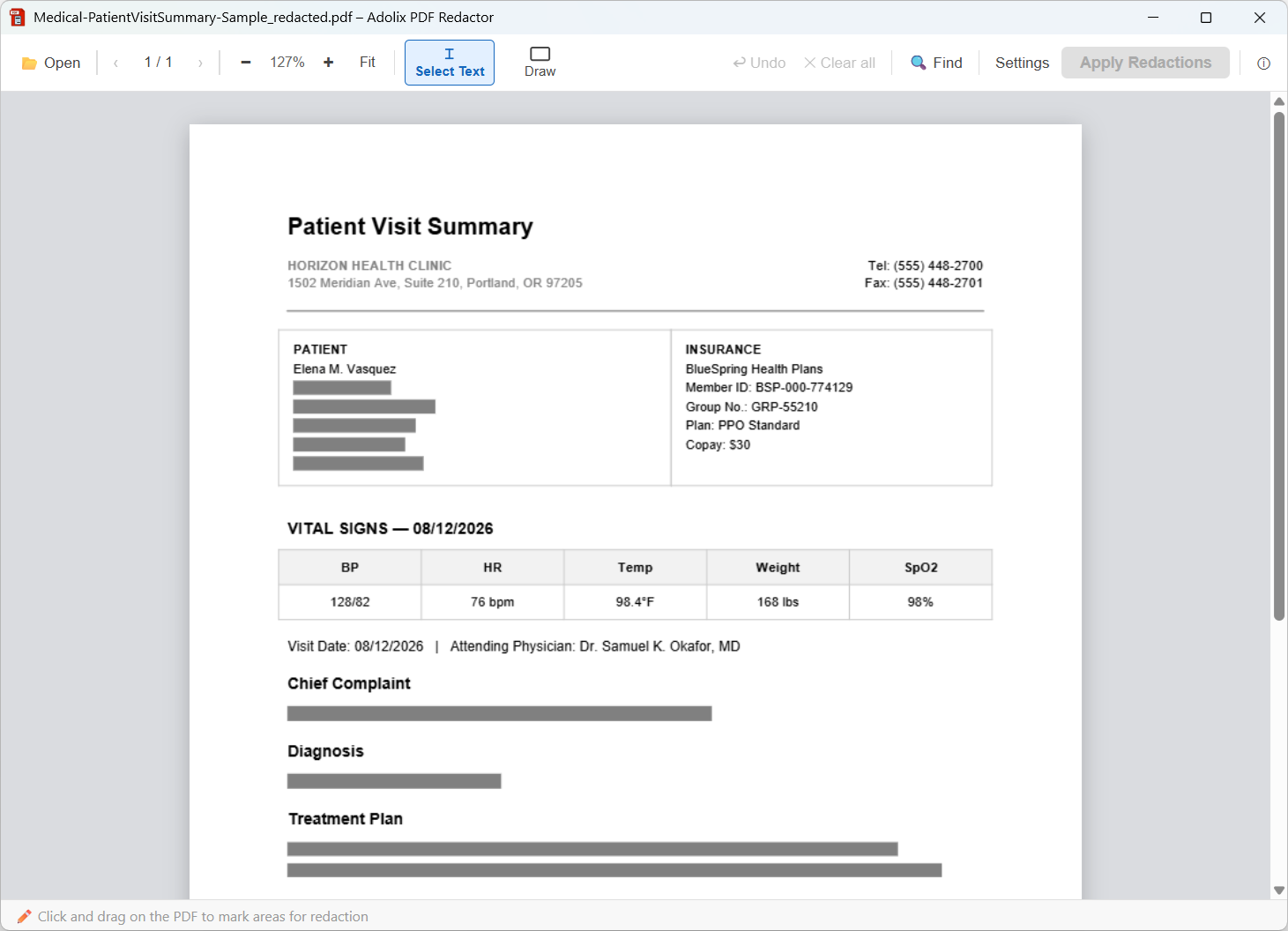
Patient record — hover to see it redacted
Questions about PDF Redaction? We have answers.
What is PDF redaction?
PDF redaction is the permanent removal of sensitive content from a PDF file. Simply trying to black out a PDF by drawing a box over the text doesn't work — the text can still be recovered. True redaction removes the content from the file itself so it can never be recovered.
Is Adolix PDF Redactor safe to use for confidential documents?
Yes. As PDF redaction software, Adolix PDF Redactor processes all files locally on your computer — nothing is uploaded to any server. Your documents never leave your machine, which makes it safe for confidential documents such as legal contracts, medical records, and financial files.
What is the difference between the Free and Pro versions?
The Free version lets you redact PDFs with up to 3 pages. The Pro version removes this limit and lets you redact PDF files of any size, with no page restrictions. Both versions use the same structural redaction engine.
Can I redact images in a PDF, not just text?
Adolix PDF Redactor lets you select any area of a page to redact, including areas that contain images. The selected area is covered with a black redaction box. For text-based PDFs, the text is also removed from the content stream of the file.
Can Adolix PDF Redactor open encrypted PDF files?
Adolix PDF Redactor cannot process encrypted PDF files. Some PDFs are encrypted for rights management or security purposes — this is a property of the file itself, independent of whether it requires a password to open. To work around this, convert the file to a plain PDF using Google Chrome: open the PDF in Chrome, go to File → Print, and choose Save as PDF as the destination. The saved file will not be encrypted and can be redacted normally.
Can I redact bank account numbers before sharing statements?
Yes. Adolix PDF Redactor lets you select and permanently remove account numbers, routing numbers, and other sensitive financial details from bank statements, invoices, and financial reports before sharing them with clients, auditors, or third parties.
How do I redact Social Security Numbers from employee records?
Select the SSN, salary, or any other sensitive field on the PDF and click Apply — Adolix PDF Redactor removes it permanently from the file. This makes it easy for HR teams to share offer letters, personnel files, or payroll records without exposing employee PII.
Is Adolix PDF Redactor suitable for attorney-client privileged documents?
Yes. Because Adolix PDF Redactor processes every file locally and never uploads documents to a server, law firms can redact privileged or confidential information — client SSNs, case details, settlement terms — without any file leaving the firm's own computer.
Does Adolix PDF Redactor help with HIPAA compliance?
No software can make an organization HIPAA-compliant on its own, but Adolix PDF Redactor supports HIPAA's technical safeguards by processing files entirely offline — nothing is ever uploaded to a server — which reduces exposure risk when redacting patient names, dates of birth, or medical record numbers.